
Role: Conversation Designer
Tools Used: Google Dialogflow, Mural, Google Sheets, Figma
Duration: 3 weeks
Team: 1 Conversation Designer, 1 Product Manager, 1 Developer
Problem Statement
Customers trying to transfer their phone number to Koodo often experienced failed port-ins due to missed SMS authorizations or mismatched account details. This led to:
- High call volumes to support
- Frustrated customers
- Delays in onboarding
The goal was to design a self-serve chatbot experience that would:
- Identify port-in issues quickly
- Guide users to the correct resubmission flow
- Reduce agent handoff for known issue
Our Approach
We followed a user-centered, agile conversation design process, using the following steps:
- Discovery & Research
We:
- Reviewed customer service transcripts
- Interviewed support agents
- Identified the top friction points:
- “I didn’t get the text.”
- “Not sure what happened to my transfer.”
- “Do I need to start over?”
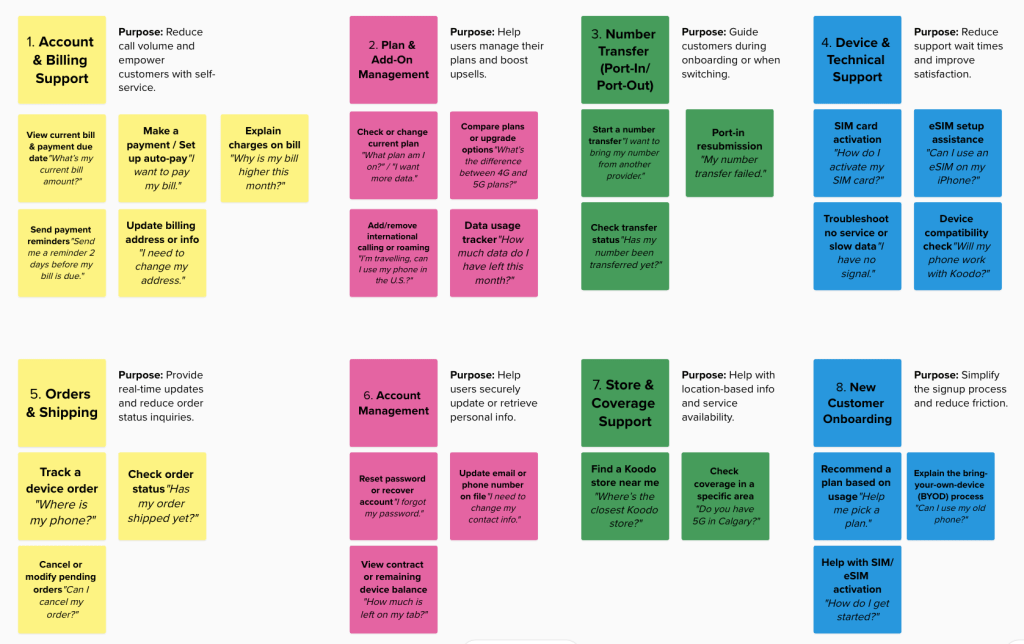
2. Mapping User Intents in Mural
Using Mural, we:
- Mapped the user journey from failed transfer to resolution
- Defined 3 key intents:
FailedPortInResubmitPortInCheckPortInStatus
We also outlined fallbacks for vague requests like:
“My number isn’t working” → route to clarification
3. Flow Design in Mural
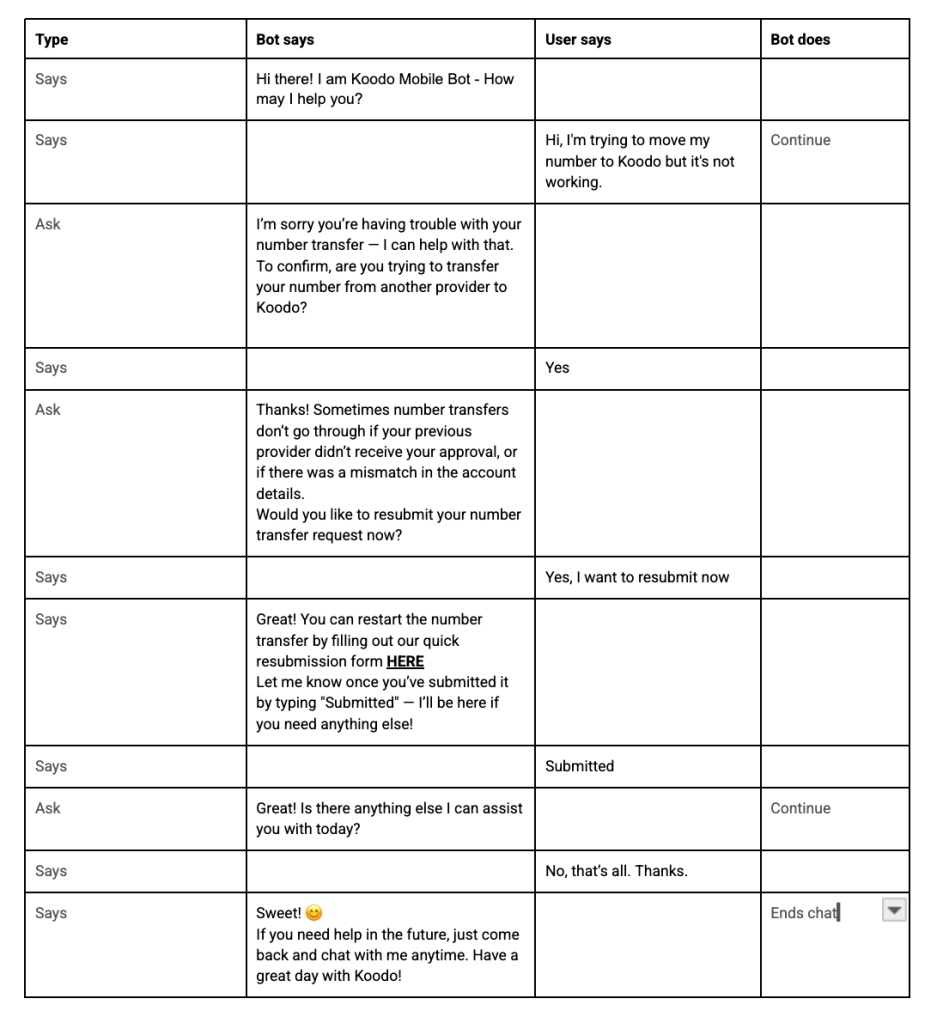
We prototyped the conversation flow visually in Mural:
📍 Trigger Intent:
“I’m trying to move my number to Koodo but it’s not working.”
🔁 Bot Response Flow:
- Clarifies if it’s a port-in issue
- Educates the customer on why transfers fail
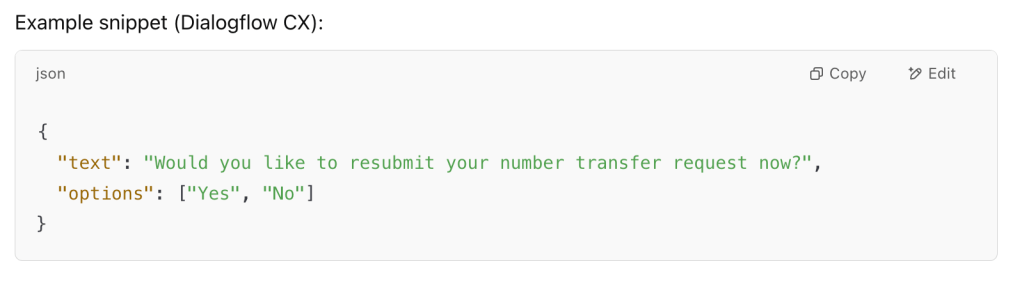
- Offers to resubmit with Yes/No buttons
- Provides direct link to the port-in resubmission form
- Confirms submission and offers further help
We added branching logic for:
- Yes/No answers
- User confusion or errors
- Agent handoff when needed

4. Building in Dialogflow CX
In Dialogflow CX, we:
- Created flows with state-based nodes
- Used event handlers to manage Yes/No quick replies
- Implemented rich content for web chat (buttons, links)
- Tagged each node with fulfillment actions for analytics
Example snippet (Dialogflow CX):
5. Testing & Iteration
We:
- Tested with internal teams via the Dialogflow web simulator
- Used a spreadsheet of test cases (e.g., missed SMS, wrong provider info)
- Improved fallback handling when users typed in incomplete info
- Ensured tone stayed friendly, helpful, and on-brand

6. Results & Outcomes
After internal deployment:
- 60% of port-in related queries were resolved without human agent intervention
- Average resolution time dropped from 8 mins to under 2 mins
- Increased resubmission form completions by 40% in the first month
Key Takeaways
- Visual conversation design in Mural helps uncover edge cases before building
- Dialogflow CX’s modular flow management makes iterating fast and scalable
- Focusing on clarity + user intent drastically reduces confusion
- Rich content (buttons/links) improves conversion and guidance
 itsmaryamsalam.com