

Overview
WedList is a wedding checklist app designed to help brides-to-be stay organized, save time, and easily collaborate with vendors—all in one place.
The UX Process
To ensure a user-centered and strategic redesign, I applied the Double Diamond UCD process, broken into four phases:
- Discover – Understanding user needs and identifying design opportunities
- Define – Synthesizing findings and pinpointing key pain points
- Develop – Ideation, prototyping, testing, and iteration
- Deliver – Final high-fidelity designs with client feedback
Discovery Phase
The Problem
Brides and wedding planners struggle to find a wedding planning app that offers personalization, vendor collaboration, and ease of use.
The Goal
Design a user-friendly wedding checklist app that streamlines planning, fosters collaboration, and helps users save time.
Role & Scope
- Role: Product Designer
- Team: Product designer, Product Manager & Development/Engineering team
- Project client: Start-up/Small business
- Responsibilities: User research, sketches, wireframing, prototyping, accessibility audits, flow mapping and usability testing
- Tools: Figma, Mural
Define Phase
User Research
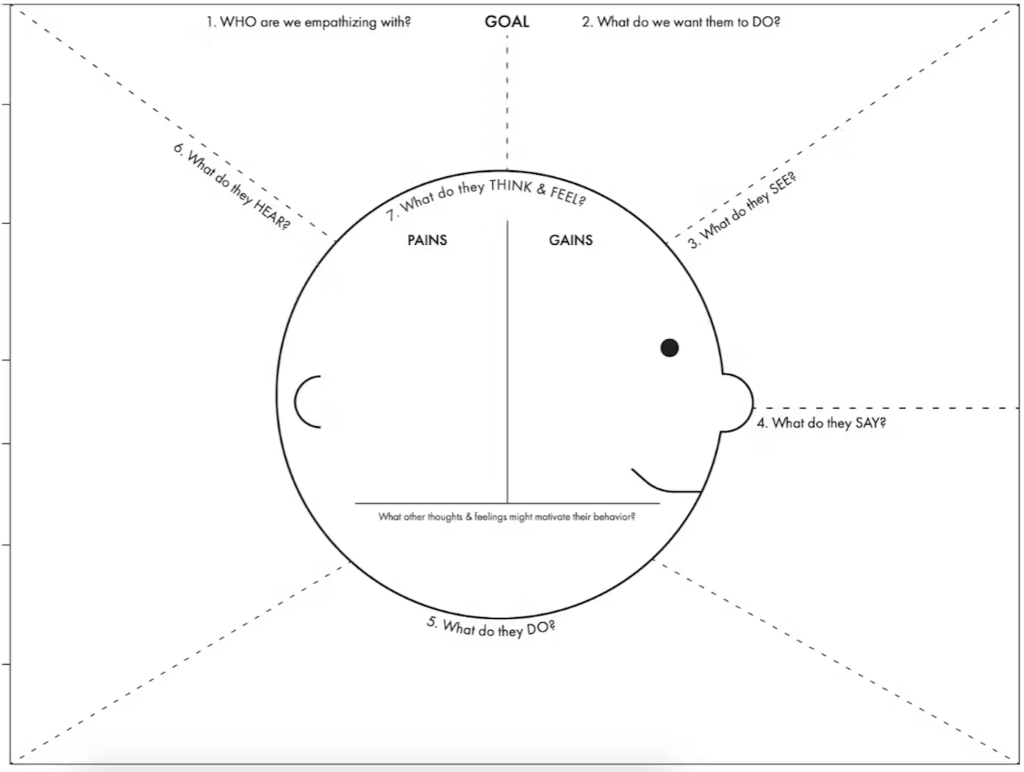
I conducted user interviews and created empathy maps to understand the core needs of our target users—primarily brides-to-be managing their own weddings. The research revealed that while personalization and accessibility were expected, users also needed:
- Reliable vendor recommendations with reviews
- Collaboration features to involve family, planners, or vendors
- Venue discovery features
Pain Points Identified
- Lack of a simple, intuitive checklist interface
- No option to change language or currency
- Inability to collaborate with others during planning
- Limited vendor discovery and ratings
Persona & Journey
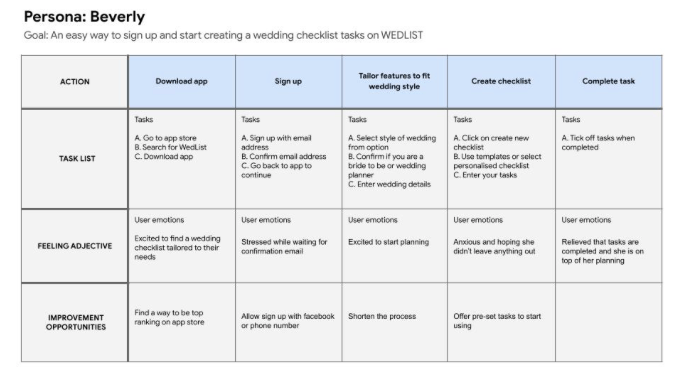
User Persona: Beverly
Beverly is a bride-to-be who wants to stay organized and reduce stress by using an app that simplifies her wedding planning process.

User Journey Mapping
We mapped Beverly’s journey to identify friction points and how WedList could meet her needs from discovery to wedding day execution.
Develop Phase
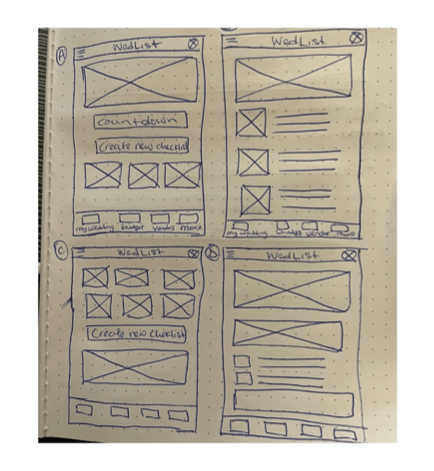
Paper Wireframes
Initial sketches focused on quick checklist creation and personalization features. Early testing ensured that only the most effective elements moved to digital wireframes.


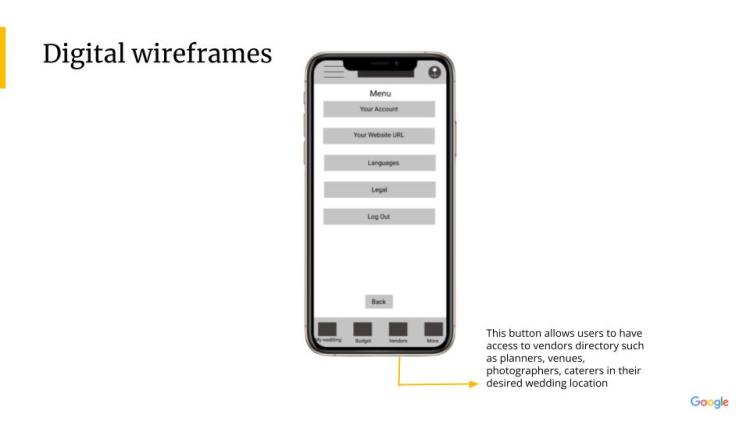
Low-Fidelity Prototype
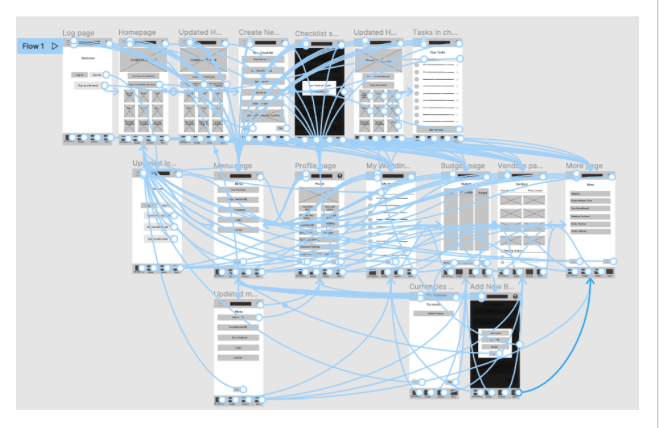
The prototype captured the core user flow: creating, editing, and completing a wedding checklist. It was used in two rounds of usability testing.
https://www.figma.com/file/WtOsYtm8dM04E0XxdEMEIh/Project-wireframe?node-id=0%3A1
Usability Testing: Key Findings
Round 1 – Low-Fidelity Prototype
- Users found the app mostly intuitive
- “Edit Profile” button wasn’t clear
- Frustration with the sign-up/sign-in flow
Round 2 – High-Fidelity Prototype
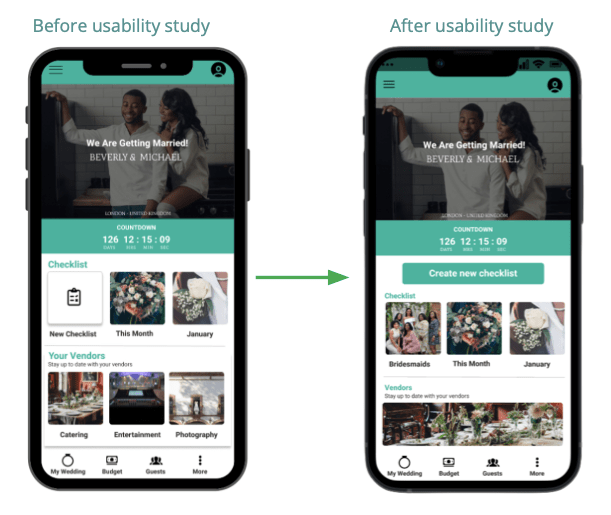
- Users wanted to create personalized checklists from scratch
- Desire for multi-language support
- Positive feedback on improved layout and flow
Deliver Phase
Final Designs
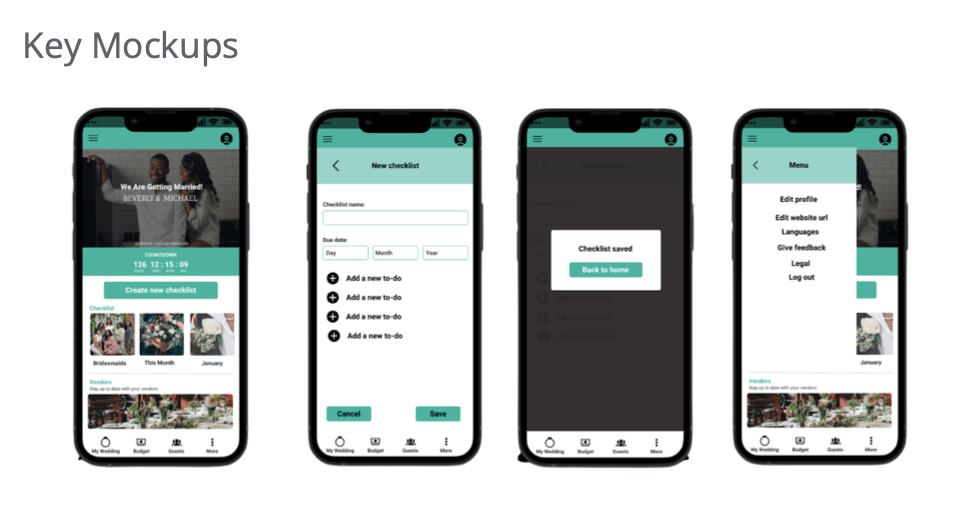
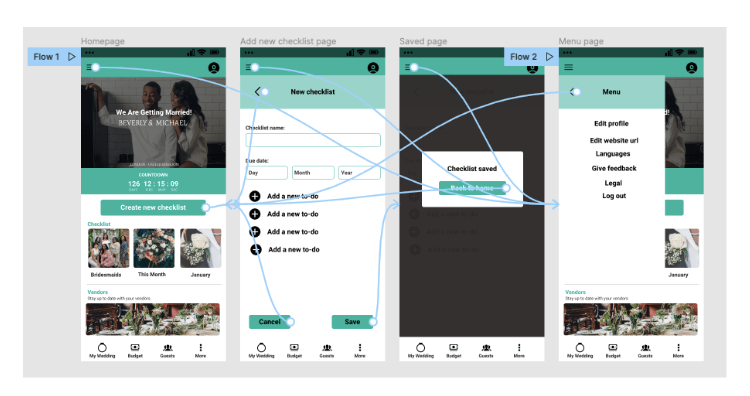
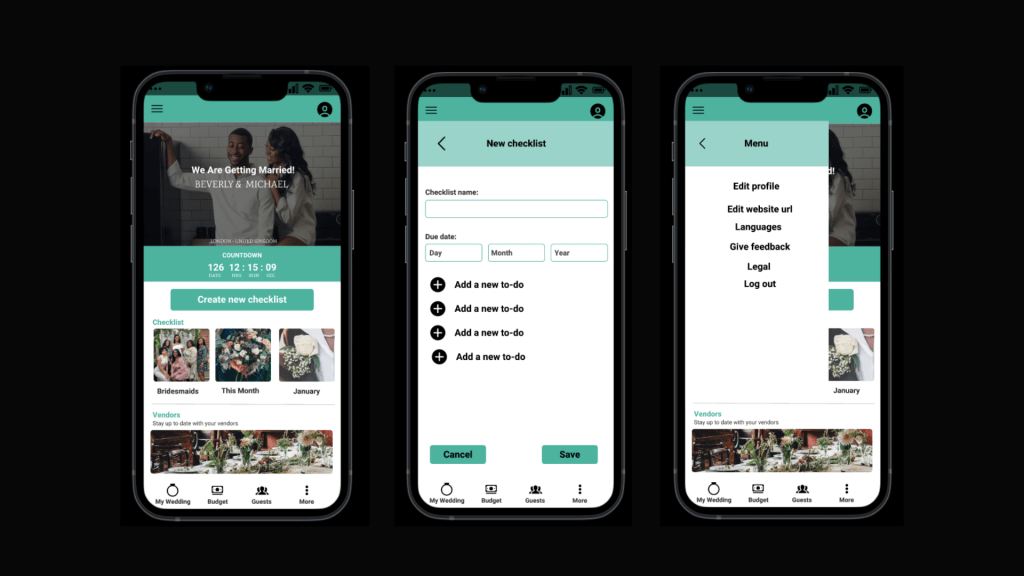
The high-fidelity prototype featured:
- A cleaner, more intuitive interface
- Clearer call-to-action buttons
- Improved checklist creation flow
- Language and currency settings
- Vendor and venue discovery with reviews
High-Fidelity Prototype:
Accessibility Considerations
- Icons to support navigation clarity
- Color contrast and legible typography
- Language and currency customization
- Visual clarity for users with impairments
Impact & Feedback
“I really love that this app allows me to have everything about wedding planning in one place.”
What I Learned
Design is an iterative process. Staying open to feedback and aligning with real user needs is crucial to building meaningful solutions.
Next Steps
- Continue user research to support future updates
- Add features aligned with evolving user needs
- Define KPIs to measure success for both users and business
- Conduct another round of usability studies
 itsmaryamsalam.com