
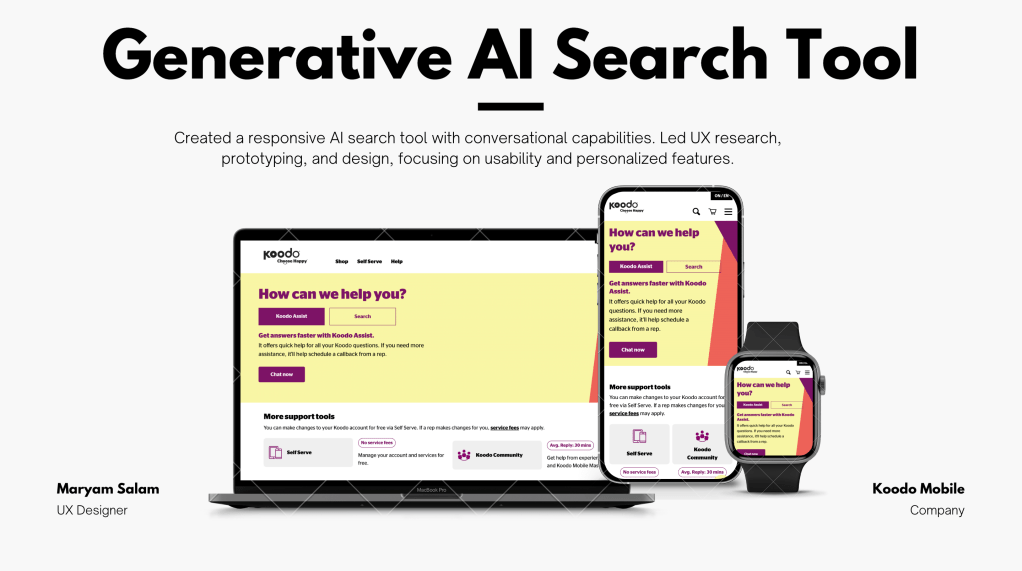
Project: GenAI-Powered Search Flow (Enhancement project)
Client: Koodo Mobile
Platform: Help Center (https://www.koodomobile.com/en/help)
Role: Lead UX Designer
Team: UX Design, Product Management, Engineering, Content Strategy, Legal
The Challenge
Koodo’s Help page saw frequent user drop-offs and repetitive search queries that didn’t convert into meaningful resolutions. Users often got overwhelmed with the volume of static FAQs or couldn’t find what they needed quickly enough. Koodo needed a smarter search tool, scalable solution to improve self-service and reduce support calls.
– Discovery & Research
Empathize
To start, we needed to understand:
- Who are our users?
Mostly mobile subscribers aged 18–55 with a range of tech-savviness levels. - What are their pain points?
- Frustration with navigating dense FAQ content
- Repetition in searches (e.g., “How to reset voicemail”)
- Long resolution time
Method used:
- User Session Recordings (Hotjar/Contentsquare): Tracked where users abandoned the page.
- User Surveys: Asked real users how satisfied they were with the help experience.
- Heuristic Evaluation: Found gaps in search interaction, result relevance, and readability.
– Define the Problem
“How might we enable users to find answers more quickly and intuitively without overwhelming them with static, outdated content?”
We defined our success criteria:
- 15–20% reduction in help tickets
- Improve CSAT on Help page by 10%
- Enhance time-to-resolution under 15 minutes
– Ideation & Strategy
Key design goals:
- Conversational Simplicity – Use GenAI to mimic human-like interactions
- Trust and Transparency – Indicate AI involvement and offer fallback options
- Efficiency over Exhaustiveness – Serve refined, relevant answers without long text blocks
Solutions explored:
- Generative AI chat-like flow vs. traditional filtered search
- Contextual microcopy for error states and suggestions
- Escalation path to live chat if GenAI fails to resolve query
– Design & Prototyping
Wireframes & flows
I created low- and mid-fidelity wireframes to experiment with:
- Quick GenAI summary capabilities
- Sticky search input at the top
- Immediate auto-suggestions
- Follow-up question capability to refine results
Key UX enhancements:
- AI prompt clarity: Reframed “Ask us anything” into action-based prompts like “What can we help you with?”
- Result hierarchy: Most likely answers shown first, dynamic loading for less relevant ones
- Scrollable, mobile-first cards
- Conversational response format: Clean, humanized tone of voice
– Validation & Testing
Methods:
- Usability Testing (5 sessions):
Users were asked to find answers to real scenarios (e.g., “How to change my plan”). We monitored time-on-task and success rate. - A/B Testing:
Compared the legacy Help search vs. GenAI search on key metrics like:- Completion rate
- Engagement with follow-up questions
- Bounce rate
- Content QA:
Ensured AI-generated responses matched Koodo’s brand tone and were legally compliant.
– Implementation & Collaboration
Partnered closely with engineering, content and legal team to:
- Implement token limits and safeguard prompts
- Add smart fallback logic to connect users to agents when AI confidence was low
- Ensure WCAG 2.1 accessibility in all interface elements
– Results & Impact
Within the first 30 days of launch:
- ✅ 13% drop in help tickets submitted through contact form
- ✅ 18% increase in Help page satisfaction score (measured via post-interaction survey)
- ✅ Time-to-resolution dropped from 3.2 minutes to 1.4 minutes
- ✅ 3x engagement with Help search bar (mobile and desktop)
*Figma prototype provided based on request.

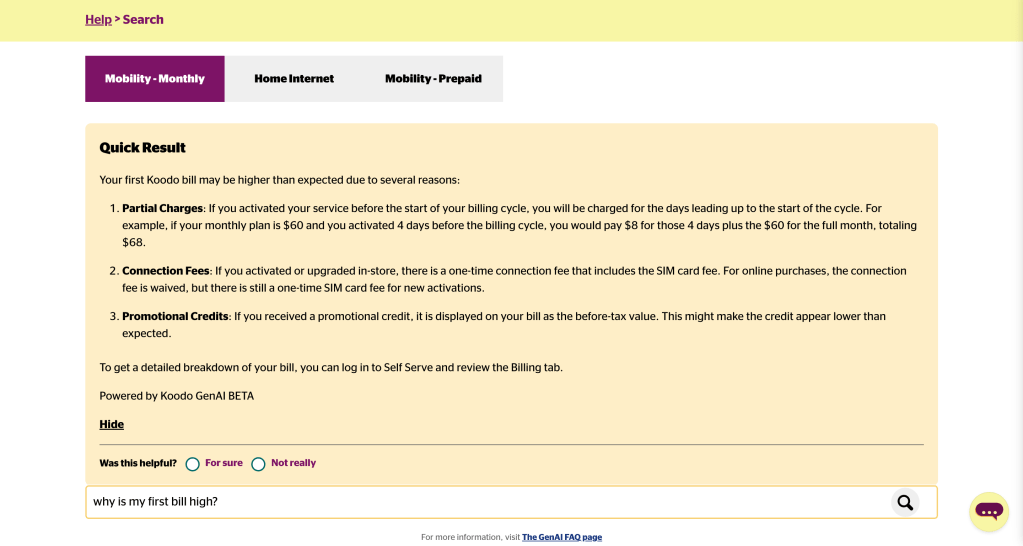
Prototype link can be provided if needed
 itsmaryamsalam.com